


A Samsung Dishwasher not draining can disrupt the entire rhythm of your kitchen—especially when it’s a modern, high-tech model like Samsung’s. If you open the door and find a pool of water sitting at the bottom, you’re not alone.
Many homeowners encounter this issue, and while it’s undeniably frustrating, there are several straightforward explanations and solutions. Let’s break down the most common reasons a Samsung dishwasher isn’t draining, what you can try yourself, and when it’s wise to reach out for an appliance repair expert.
Why Won’t My Samsung Dishwasher Drain?
At first glance, a dishwasher that won’t drain might seem like a major disaster. In reality, most drainage issues stem from a handful of causes, such as blockages, installation quirks, or faulty parts. Here’s a closer look at what might be happening:
1. Clogged or Dirty Filter

Samsung dishwashers use a filter to catch food debris and prevent it from entering the drain pump. Over time, this filter can become clogged, slowing or stopping drainage entirely.
Quick fix:
Pull out the bottom rack and locate the filter (usually in the bottom center). Twist and lift it out, then rinse away debris under running water.
2. Blocked Drain Hose

The drain hose carries water from the dishwasher to your home’s plumbing. Kinks, clogs, or improper installation can keep water from flowing out.
Quick fix:
Check the hose (usually found under the sink). Look for bends or blockages. Straighten out kinks and remove any visible clogs. If you’re unsure how to detach or inspect the hose, it may be safer to call a technician.
3. Garbage Disposal Connection
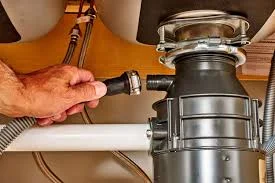
If your dishwasher drain hose connects to a garbage disposal, sometimes a newly installed disposal will have a knockout plug that needs to be removed. If left in place, water can’t drain.
Quick fix:
If you’ve recently installed or replaced your disposal, double-check that the plug has been removed from the dishwasher drain connection.
4. Faulty Drain Pump
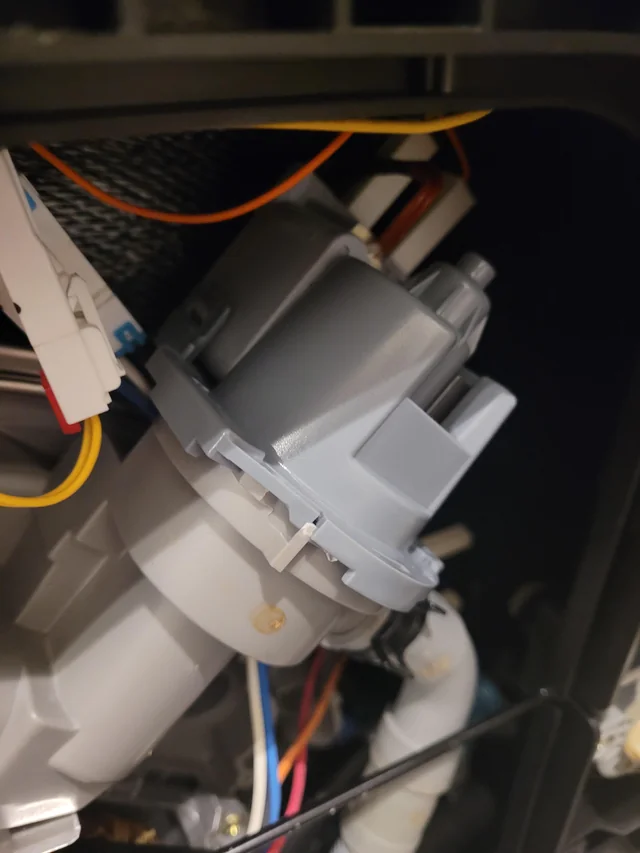
The drain pump pushes water out during the drain cycle. Over time, pumps can wear out or become blocked with debris.
Quick fix:
Listen for a humming or grinding noise during the drain cycle. If the pump sounds abnormal or silent, it may need repair or replacement. This isn’t typically a DIY task; consult Dishwasher Repair Experts to handle this safely.
5. Air Gap Issues
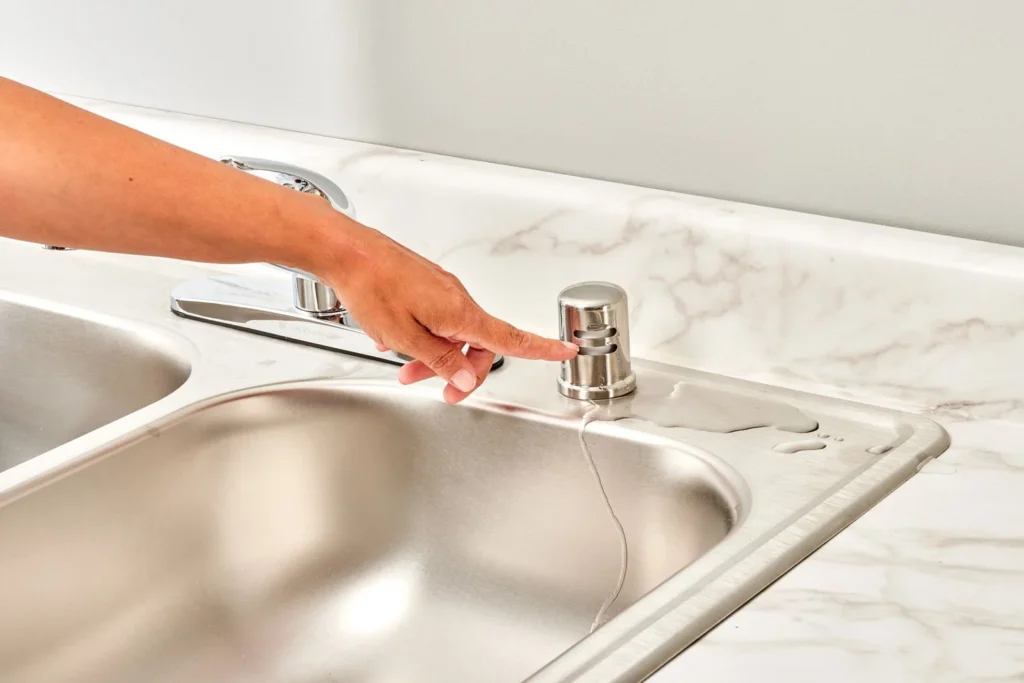
Some kitchens have an air gap installed at the sink to prevent backflow. If the air gap is clogged, water may back up into the dishwasher.
Quick fix:
Twist off the air gap cover and clean out any debris. If this doesn’t resolve the problem, further inspection may be required.
How to Reset Your Samsung Dishwasher

Sometimes, the drainage issue is due to a simple glitch in the dishwasher’s programming. A quick reset can clear error codes or stuck cycles:
- Turn off the dishwasher and unplug it (or switch off the circuit breaker).
- Wait 1–5 minutes.
- Restore power and run a short cycle to test if draining resumes.
If the issue persists, it may point to a deeper mechanical problem.
When to Call in the Professionals
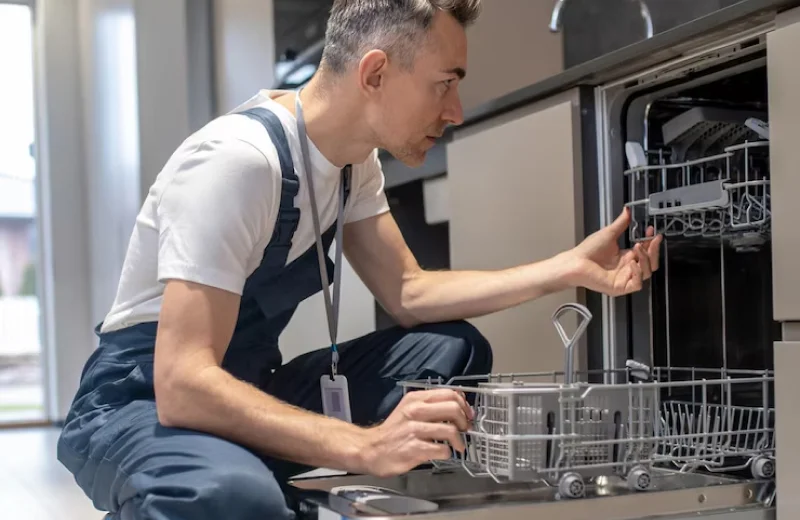
While some drainage issues can be fixed with basic cleaning or a little elbow grease, certain problems—such as pump failure, electrical faults, or persistent leaks—require professional attention. Attempting to repair complex components yourself can lead to bigger (and pricier) problems.
For quick and reliable help, Book an appointment with a certified technician or reach out to Professional Appliance repair for a comprehensive diagnosis. If you’re unsure about any of the troubleshooting steps, getting expert assistance is always the safer bet.
Preventing Future Drainage Problems
It’s easy to forget, but a little routine maintenance goes a long way in keeping your Samsung dishwasher running smoothly:
- Clean the filter every few weeks (or more often if you use your dishwasher daily).
- Scrape off food scraps before loading dishes.
- Inspect the drain hose occasionally to catch blockages before they become an issue.
- Run hot water at the sink before starting a cycle to ensure proper washing and drainage.
These habits don’t just prevent Samsung Dishwasher not draining—they’ll help your dishwasher last longer, too.
Need Help Right Now?
A backed-up dishwasher isn’t just inconvenient—it can also lead to water damage or mold if ignored. Don’t let a minor issue turn into a major headache. Reach out to your Local Dishwasher Repair Experts for fast, affordable service. If you have questions or want to schedule a visit, simply Contact us.
In summary, a Samsung Dishwasher not draining is a common problem with a handful of likely causes. By following these tips, you can often resolve the issue yourself—but don’t hesitate to involve professionals when needed. A functioning dishwasher is only a quick fix away!

